Building Your First Business Website: Planning & Strategy
A good website planning guide stops you from paying to fix decisions you could have made for free. Here is what to settle before design work begins.
 Fredy Rodriguez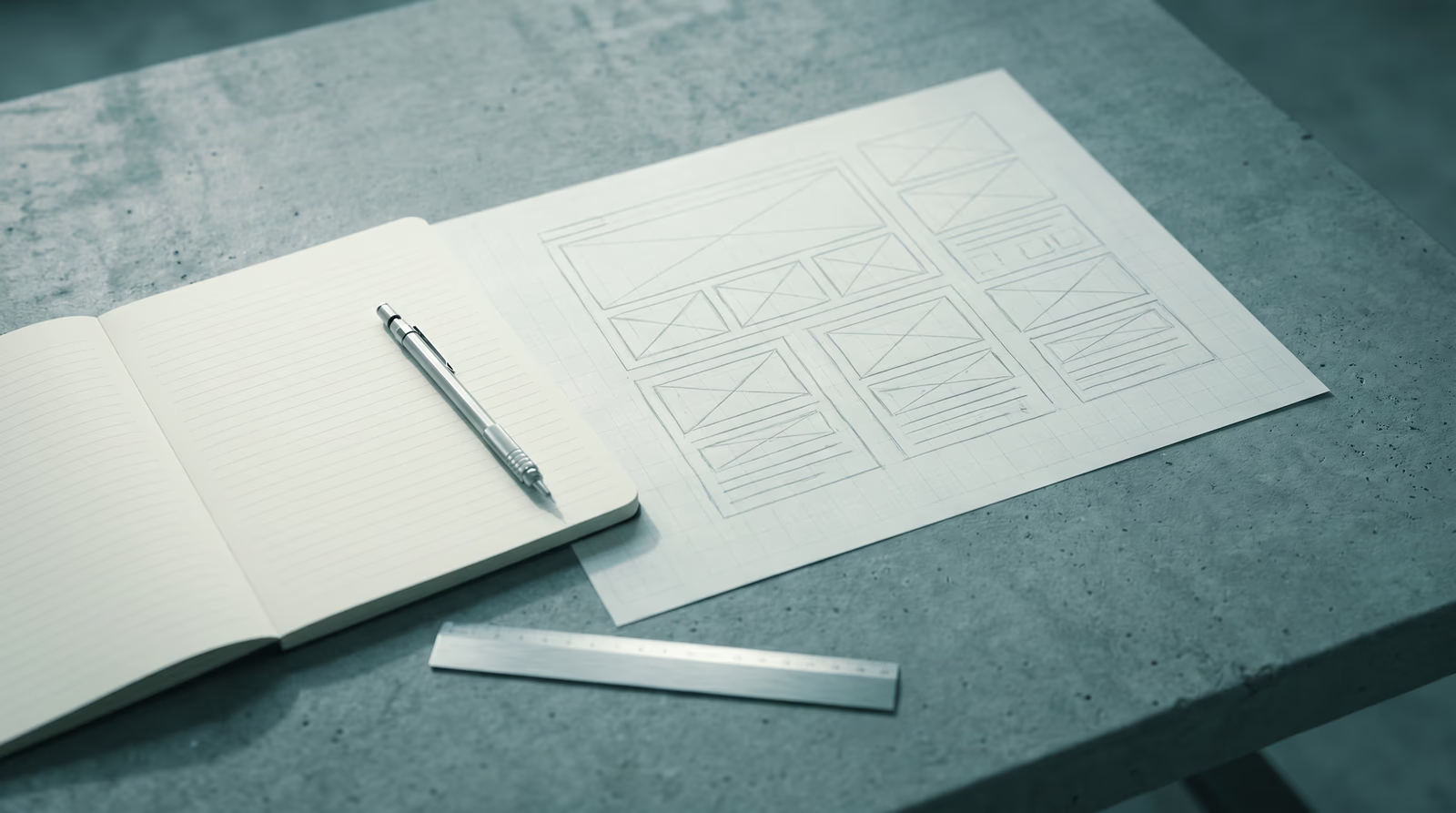
Table of Contents
Most Houston business owners think building a website starts with picking colors and a font. It doesn’t. It starts with a plan, and without one, you’ll pay to fix decisions you could have made for free.
This website planning guide covers the work that happens before any design or development begins: defining goals, mapping pages, auditing content, and setting a realistic budget. If you’re still deciding whether you need a site at all, start with why your business needs a website first. This is Part 1 of the Building Your First Business Website series; Part 2 covers designing your site.
Why planning before building saves money
Every change that happens during development costs more than the same change made during planning. Restructuring a site map on paper takes 20 minutes. Restructuring it after a developer has built five pages takes days and a renegotiated contract.
The pattern is predictable: a business owner skips the planning phase, a developer starts building based on loose verbal direction, scope grows mid-project, costs rise, and the finished site still doesn’t match what the owner actually needed. Clients who arrive to a kickoff meeting with a clear goal, a mapped page list, and gathered content assets consistently see faster timelines and fewer surprises.
Planning is not a luxury for larger projects. It is the point where decisions are cheapest.
Define your website goals first
A website without a defined goal produces traffic without results. Before anything else, answer this question in one sentence: what specific action do you want a visitor to take on this site?
Lead generation, information, or e-commerce
Three primary goals account for most small business sites:
- Lead generation means the site’s job is to get visitors to call, fill out a contact form, or book an appointment. This is the right goal for trades businesses, contractors, professional services, and consultancies across Houston, from Heights home remodelers to Medical Center specialists.
- Information means the site establishes credibility and answers pre-purchase questions. The visitor is doing research, and the site’s job is to give them enough confidence to reach out through another channel. Common for attorneys, accountants, and B2B service providers.
- E-commerce means the site sells products or services directly. A checkout flow becomes the most important page on the site.
Most sites need a mix, but only one can be primary. Set the primary goal, and every subsequent decision, from navigation labels to button copy, gets easier.
How goals shape every downstream decision
Your goal determines your site structure. A lead-generation site front-loads a phone number and contact form. An e-commerce site front-loads product categories and a cart. An information site front-loads credibility signals: credentials, case studies, and published content.
A site that tries to serve all three goals equally usually serves none of them well. Prioritize.
Know your audience before choosing your design
Your site is not for you. It’s for the person reading it at 9pm on their phone, deciding whether to call your business or keep scrolling.
Common buyer types in Houston
Houston’s business landscape spans energy, construction, food and beverage, legal, real estate, healthcare, and retail. Each sector attracts different buyer behavior:
- A homeowner in Katy searching for a remodeling contractor wants to see project photos, read reviews, and find a phone number without digging. She’s on mobile, she’s comparing three other sites, and she will not fill out a lengthy form.
- A small business owner in Midtown researching a web design agency is taking more time, reading multiple pages, and looking for evidence that the agency understands her industry and her market.
- A procurement manager in the Energy Corridor evaluating a vendor needs credentials, case studies, and a clear contact path for a formal conversation.
These are different sites with different information hierarchies. Know which audience you are building for. For more on translating that insight into design decisions, see design considerations for small businesses.
Map your pages and content before talking to a developer
A site map is a list of every page your site will have and how those pages connect. Building one before a developer conversation is not optional. It prevents scope creep, anchors cost estimates, and surfaces content gaps before they become delays.
Core pages every small business site needs
The U.S. Chamber of Commerce identifies five mandatory pages for any small business website: Home, About, Services or Products, Contact, and a Privacy Policy. Local service businesses should add a location or service-area page to support local search visibility.
Secondary pages to add as the site grows: testimonials, FAQ, blog, and individual service sub-pages.
A basic service business site map looks like this:
Home
├── About
├── Services
│   ├── Service A
│   └── Service B
├── Portfolio or Case Studies
├── Contact
└── Privacy Policy
Start with the minimum. A clean five-page site that does one job well outperforms a 20-page site that tries to cover everything and does nothing clearly.
Content to gather before the project starts
Every page on that site map needs content before it can be designed or built. Identifying what you need early prevents the most common timeline killer: a nearly finished site sitting idle while a client hunts for a headshot or rewrites an About page.
For each page, list:
| Page | Content needed | Do you have it? |
|---|---|---|
| Home | Hero headline, value proposition, featured services, testimonials | Most: needs writing |
| About | Company story, team photos, founder bio | Have photos; story needs draft |
| Services | Description, scope, pricing or process | Needs writing per service |
| Contact | Phone, email, address, business hours | Have it |
| Portfolio | Project photos or case study writeups | Partial |
This inventory becomes your content production checklist. Work through it before any project kick-off.
Set a realistic budget and timeline
What different price ranges actually deliver
DIY or template ($120–$600/year in platform fees): Template platforms give you a site quickly. Quality depends heavily on how much time you invest in customization and copywriting. Templates cap performance as the business grows and tend to produce sites that look identical to hundreds of others in the same industry.
Freelancer or small agency ($4,200–$10,000): A professionally designed and built site on a modern platform, with your brand applied and content populated. You get a site tailored to your business, not a modified template.
Full-service agency with strategy ($10,000+): Includes discovery, content strategy, custom design, development, SEO foundation, and launch support — the tier a client buying multiple services together typically lands in. Appropriate for businesses where the website is a primary revenue channel.
Budget separately for domain registration ($15–$20/year), hosting ($20–$100/month), professional photography ($500–$1,500), copywriting, and ongoing maintenance. A common mistake is spending the entire budget on the build and having nothing left for the work that actually drives traffic.
Typical timelines for a 5–10 page business site
A professionally built 5- to 15-page site typically takes 4 to 8 weeks end-to-end: strategy and planning in week 1, design in weeks 2 and 3, development in weeks 4 and 5, content review and testing in week 6, and launch in week 7 or 8. The most common delay is client content arriving late or requiring multiple revisions.
If someone promises a professional custom site in a week, be skeptical. Either the process is being skipped or the result will reflect that.
DIY, template, or professional build?
The honest answer depends on your situation:
Start with a DIY tool if you are launching quickly with limited budget, you need a simple site to establish an online presence, and you have time to learn the platform and maintain it yourself.
Use a template-based professional build if you need a polished site faster than a full custom build allows, you have brand assets ready, and your site structure fits a standard service-business layout.
Invest in a professional build if your website is a primary lead-generation channel, you are in a competitive market where first impressions directly affect revenue, or you need performance, custom functionality, or integration with business tools.
Both ends of that decision show up in my team’s work. Costa Custom Pools needed the full professional build, because the website was the centerpiece of a repositioning into the premium residential market. Fast Hammers Remodeling needed the opposite: a logo refinement and vectorization, kept deliberately tight because the client wanted the identity to stay familiar. Match the investment to the job.
Your planning checklist
Before any design or development begins:
- Primary website goal defined in one sentence
- Target audience described (who they are, what device they use, what makes them decide)
- Site map drafted (every page listed)
- Content inventory completed (what you need vs. what you have)
- Budget range set (build + domain + hosting + content + maintenance)
- Timeline expectations established (4–8 weeks is typical for a professional build)
- Platform decision made (DIY, template, or custom build)
What comes next
A plan without execution stays a plan. Part 2 of this series covers designing your site: choosing a design direction, creating wireframes, and making sure your brand translates effectively to the web.
If you’d rather start with professional guidance, my team’s web design services include a full planning phase before any design work begins. Start a conversation about your project.
Frequently asked questions
What do I need to plan before building a small business website?
Define your primary goal (lead generation, e-commerce, or information), identify your audience, map your pages, gather your content assets, and set a realistic budget and timeline. Skipping any one of these steps is the most common reason web projects run over budget or miss the mark.
What pages does a small business website need?
At minimum: Home, About, Services or Products, Contact, and a Privacy Policy. Local service businesses benefit from adding a location or service-area page. As the business grows, a blog, testimonials page, and FAQ round out the structure.
How long does it take to build a small business website?
A professionally built 5- to 15-page site typically takes 4 to 8 weeks end-to-end, covering planning, design, development, content, and launch. The most common delay is client content that arrives late or incomplete. DIY builds with a template can go live in 1 to 3 weeks.
How much does a small business website cost?
A professional custom or platform-based build from Desque starts at $1,500 for a one-page layout Webflow site. Layouts are not pages: one layout, like a service-page design, can run as many pages as you need. From there, pricing scales with scope: $4,200 for four page layouts on Webflow, $6,200 for the same four layouts as a custom Astro build, or $8,800 for a full Shopify store. DIY tools cost $120 to $600 per year in platform fees. Budget separately for domain, hosting, photography, and ongoing maintenance.

Technical Director & Co-Founder
Runs the data-and-code side of Desque: SEO, GEO, AEO, PPC, copywriting, and the engineering behind every site we ship. Builds in Go and TypeScript.
Continue in series: Building Your First Business Website
More from the blog
Related Posts

Designing for small business: what your website is actually supposed to do
Most small business websites fail at their primary job. Here is how to design one around real goals: calls, form fills, and appointments, not aesthetics.
Fredy Rodriguez
Why every Houston business needs a website in 2025
Without a website, your Houston business is invisible to buyers who research online before they ever pick up the phone. Here is what that silence costs.
Fredy Rodriguez
Your Business Might Be Good. Your Website Just Doesn't Reflect It.
Your business may be better than your website makes it look. Learn how design, proof, and usability shape what potential customers believe about you.

Trung Nguyen