Website Migration
We move Houston businesses off platforms that have stopped earning their keep. Every URL is mapped before the rebuild starts, your content and product data come with you, and traffic is watched after cutover so nothing quietly disappears.

A migration is not a redesign with a new logo on top. It is a move, and the thing most likely to break in a move is the address.
We rebuild marketing sites on Webflow, stores on Shopify, and traffic-heavy or custom builds on Astro, with a short list of exceptions we will name before you commit to anything.
We do not build or maintain WordPress sites. We do move businesses off them, which means reading the site you have now closely enough to keep what works and retire what does not.
Why Choose Desque
What sets us apart as your website migration partner
In business since 2017, moving local businesses off WordPress, Wix, Squarespace, and WooCommerce
Redirect mapping is its own step, reviewed with you before a single page gets rebuilt
Benchmarks recorded before the move, so results after it are measurable rather than assumed
Core Web Vitals, structured data, and analytics verified on staging, not after launch
Cutover scheduled around your traffic, with the plan agreed in advance
Partnership approach: we stay through the monitoring window, not just to launch day
Ongoing support plans for teams that would rather not manage the site themselves
Our Process
Our proven process ensures your business gets results
Audit & Benchmark
We crawl the current site and write down what you actually have: every URL, every template, every plugin or app doing real work, and the traffic each page earns today. Those numbers become the benchmark the new site gets measured against after launch.
URL & Redirect Map
Before anything gets rebuilt, every live URL is matched to its address on the new platform. Pages that merge get one destination, pages that retire point to the closest relevant page. This map is the document that decides whether your traffic survives the move, so you review it before we build.
Rebuild on the New Platform
We rebuild on Webflow, Shopify, or Astro using your existing structure as the starting point rather than a blank template. Page types, collections, and product templates get set up first so every piece of content has somewhere to land.
Content & Data Transfer
Pages, posts, images, products, customers, and order history move across. Anything the old platform will not export cleanly gets flagged while there is still time to decide what to do about it, not on launch day.
QA & Pre-Launch Testing
We test the staging site the way visitors and search engines will: every redirect, every form, mobile layouts, load speed, structured data, and analytics tracking. Nothing goes live with a broken path we already know about.
Cutover
We schedule the switch for your quietest traffic window, point the domain at the new site, push the redirects live, and submit the updated sitemap. You know the plan and the timing before any of it happens.
Post-Launch Monitoring
After launch we watch Search Console, analytics, and server logs against the benchmark from step one. Redirect misses, crawl errors, and ranking movement get caught while they are still small enough to fix quickly.
What Your Business Gets
Real benefits that help your business grow online
Existing URLs keep working through redirects, so earned links and rankings carry across
Content, images, and product data move with you instead of being retyped
A platform matched to the job your site does, not the one it was stuck with
Faster pages that hold visitors and support search rankings
Routine content edits you can make yourself, without a developer in the loop
Fewer plugins to patch and fewer moving parts to break
Search visibility protected through the switch, in local results and in AI answers
Before-and-after numbers, so you can see what the move actually changed
Real Results for Local Businesses
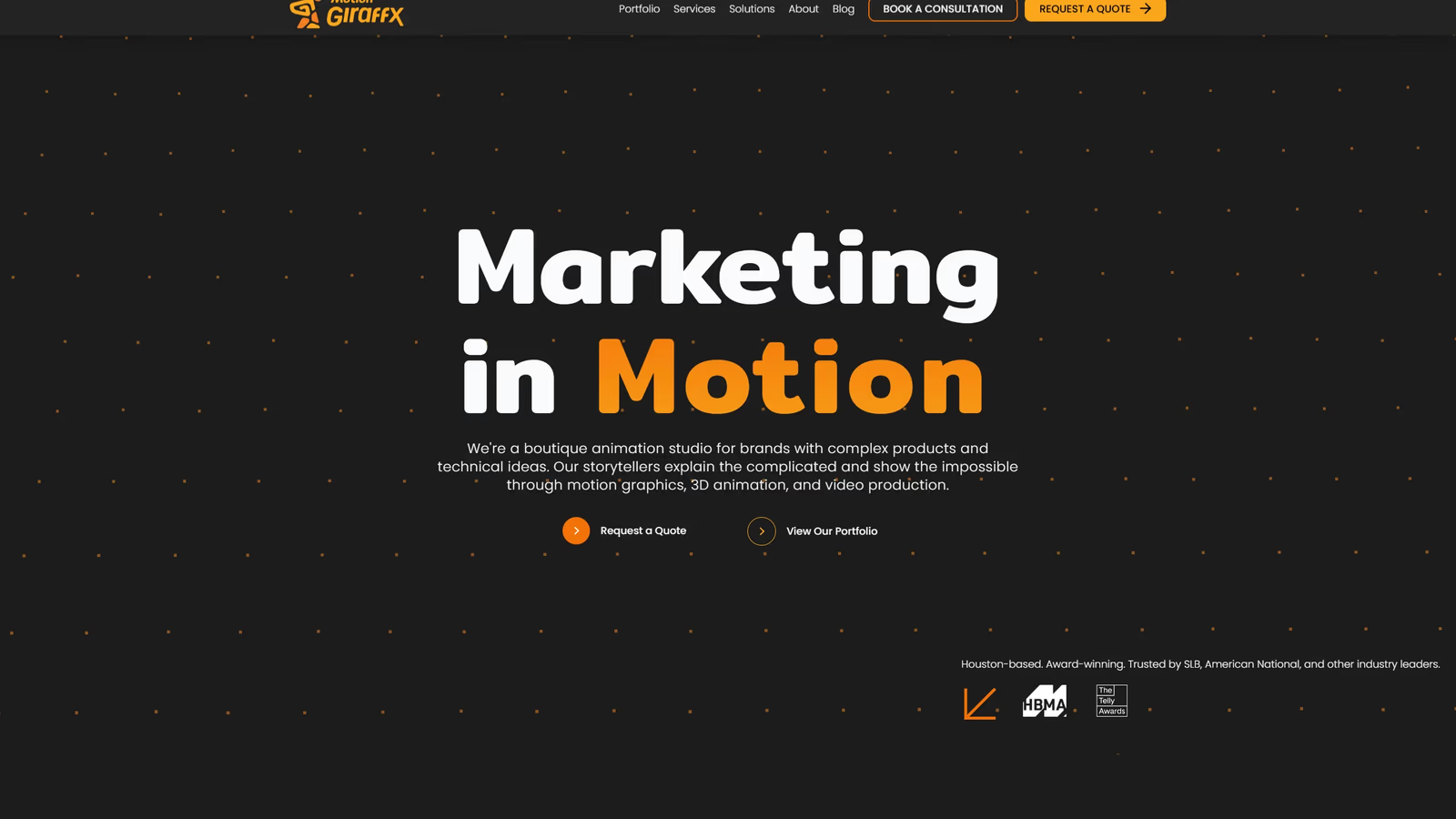
The Challenge
Motion Giraffx ran a Houston animation and video studio on a WordPress site that had become slow and unstable. The site failed in the worst place possible: during live client presentations, where videos stalled and portfolio items would not load. For a studio that sells premium visual work, the website was undercutting the pitch.
Our Solution
We rebuilt the studio on Astro, carrying their portfolio across into a custom, searchable system with a video showcase, case study structure, and structured data. Performance, media handling, and mobile behavior were treated as the project, not as polish applied at the end.
The Results
Within a twelve-month period Motion Giraffx grew from 250 daily impressions to over 1,100, a 4x increase. The site ranks #2 for “top animation studios in Houston” and appears in ChatGPT results for that same search. The portfolio now works as a sales tool during meetings instead of a liability.
Common Questions
Everything you need to know about our website migration services
Will my search rankings survive the migration?
Rankings follow URLs, which is why the redirect map comes before the rebuild. Every page that has earned traffic or links keeps a working address, and we submit the updated sitemap at cutover.
Expect some movement in the first few weeks while search engines recrawl the site. We monitor Search Console against your pre-migration benchmark and fix what shows up.
How long does a website migration take?
It depends on how much site there is. A twenty-page marketing site and a six-hundred-product store are different projects, and page count is only part of it. Custom templates, integrations, and how cleanly the old platform exports all move the number.
We scope the timeline during the audit, once we have counted the URLs and seen what the current platform will hand over.
What happens to my existing content?
We inventory it first, then move it. Pages, blog posts, images, products, customers, and order history come across to the new platform.
Some things do not export cleanly, and that varies by platform. The audit flags them early, and you decide what gets rebuilt, replaced, or retired before we start.
Can I still edit the site myself after the move?
Yes. Webflow and Shopify are both built for owners to run their own content, and we set up the editor and walk your team through it before handover. Text, images, blog posts, and products are yours to change.
When you would rather hand off ongoing updates, we offer support plans for that too.
Which platform will you move me to?
Marketing and service sites go to Webflow. The one exception is a plugin your business depends on that has no Webflow equivalent, and the audit tells you that before you commit to anything.
Stores go to Shopify, with two exceptions. A catalogue under about twenty products that already sits on a Webflow marketing site can stay in Webflow Ecommerce, so you are not running two platforms. Subscription or B2B pricing logic that lives in custom code is the other, because that logic needs the code access WooCommerce gives you.
Sites built for performance, scale, or custom behavior go to Astro, unless you need to edit every page yourself without a developer. That one belongs on Webflow CMS.
Do you work with WordPress?
We do not build or maintain WordPress sites. We do migrate businesses off WordPress and WooCommerce regularly.
That means we read the site you have now in detail, including the theme, the plugins, the custom fields, and what each one is doing for the business. That audit is what makes the rebuild accurate.
Other Services
Brand Design
Your brand is how customers recognize and remember you. We create complete brand identities: logos, color systems, typography, and visual guidelines that work together to build recognition and trust.
Generative Engine Optimization
The way people find businesses is changing. Customers now ask ChatGPT, Google AI, and other AI tools for recommendations. GEO (Generative Engine Optimization) is the work of giving those tools plain, consistent facts about your business to quote.
Search Engine Optimization
When potential customers search for services like yours, you need to show up. We optimize your website and content to rank higher on Google, driving qualified traffic from people actively looking for what you offer.
Web Design
We create websites that look professional and actually help your business grow. Built on user-friendly platforms like Webflow and Shopify, our designs are mobile-friendly, fast, and built to convert visitors into customers.
Ready to Move Your Website?
Let’s map what you have now and what it takes to move it. Schedule a free consultation to talk through your current platform and where it should go.